
How to import themes with Flip Book Maker for PDF Professional?
Q:Hi, I saw there are so many themes in your website and I do appreciate some of them. And now I question is I have no idea how to import the themes to program.
A:There are so many novelty and stylish themes under different templates on Flip Book Maker for PDF Professional. Then we do know how to create a theme and export the theme. Today we will go ahead to talk about importing the themes to the program. Anyway, after exporting the theme, what you need to do of course is to import it to enrich your flash flip book.
Step1: Run Flip Book Maker for PDF Professional and then continue to import the PDF file;
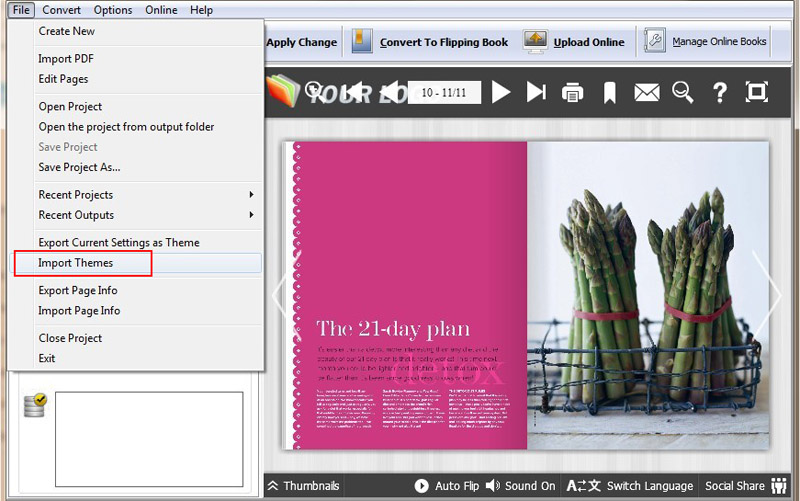
Step2: Click "Apply Change" to refresh the flash flip book and then move to "file" on the top toolbar and find out "import themes" option;
Step3: Import themes from your computer, after importing click templates button and find out the relevant themes;
Step4: Select the theme you imported before and double click on it then the themes will show on your flash flip book exactly.
More product information please click here.
Flip Book Maker for PDF Pro Mac