
How to embed flipping book made by flip book maker to webpage?
Flipping book, according to the surface meaning we know that flipping book is an electronic book which looks like a real paper book. Flip Book Maker are powerful software to convert PDF file and Microsoft office file and so on to flash flipping book. Sometimes, when we have made a wonderful flipping book, we would like to share the wonderful flipping book of travel or test question with friends on facebook or blog even own website page. Today, we are going to show you how to embed flipping book to your blog or website easily.
Step1: You should prepare well flipping book. Here it will take you three steps to make a flipping book successfully. Importing the PDF file into flip book maker first, and then you can enrich the flipping book with adding sound, changing the background or toolbar color. And then choose a proper output option to convert your PDF file to flash flipping book.
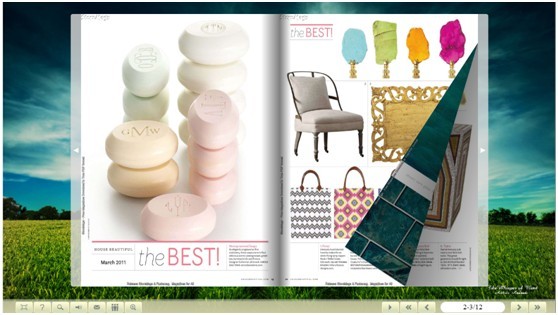
Step2: upload all output files to your website or upload it to flip builder server. It is very import to make sure that your flipping book is already uploaded. Or, you can’t view the flash window on the existing webpage or blog.
Step3: embed flipping book to your webpage or blog. What you should do is to insert a string of codeYou can put the code anywhere as the below picture
“<iframe style="width:400px;height:200px" src="index.html?pageIndex=3" seamless="seamless" scrolling="no" frameborder="0" allowtransparency="true"></iframe>”.

Please pay attention:
1.iframe style="width:400px;height:200px" the width and the height, they will be the flash width and height. and also :index.html?pageIndex=3, that "?pageIndex=3" means the flip book will open the to page 3 when it is loaded. the "index.html" should be changed to your real book html name (generated by Flip Book Maker programs) in the flipping book folder. Maybe "flipping book.html" for example.
2.Please make sure your flipping book is already uploaded;
- 3.Please do not insert a string of code among other code. Because if you insert the code between other code it will show as text words on the webpage but not flash book window;
Try Flip Book Maker software from here>>>
Flip Book Maker for Shopping>>
Explore Our Other Free Software:animation software | free animation software | free animated video maker | animation maker | animation video maker | free animation maker | whiteboard animation software | whiteboard animation maker | whiteboard video maker | character maker free | 2d character creation software | 2d character animation software | text to video | text video maker | text video software
About us | Terms & Conditions | Privacy | Contact us | Site Map
Copyright © 2015 FlipBookMaker Software Co., Ltd. All rights reserved.